Evaluations
On Evaluation, allows you to view the structured feedback from candidates, agencies, and hiring managers (organization order contacts) about their experience with assigned orders.
Distribution
Distribution screen allows you to view all linked evaluation forms details such as reviewer name, reviewer type, completion status and so on. Also shows the basic statistical data such as total reviewer and response rate. Select the associated organization and form type to view all the respective evaluation forms. See the imageSee the image.
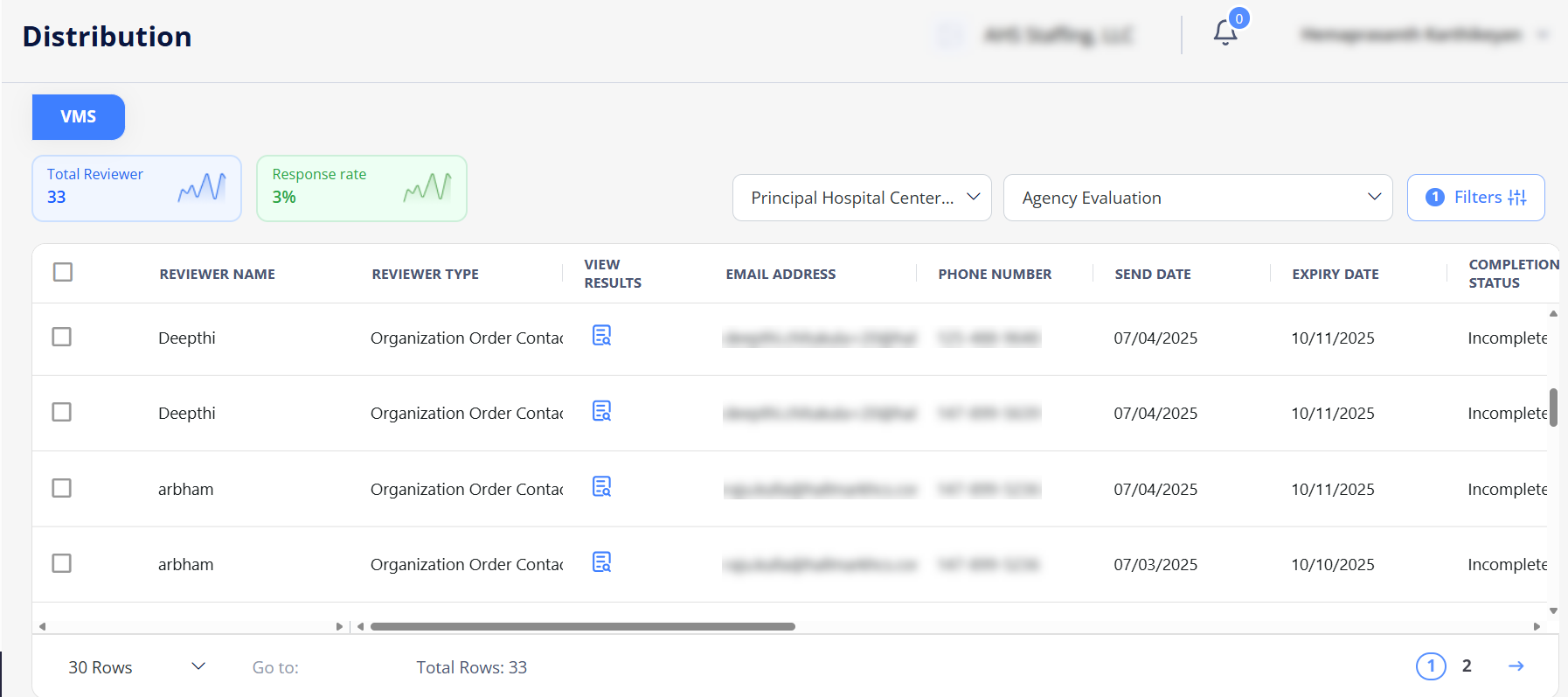
Filter Forms
Use Filters option to view the specific evaluation forms faster based on the applied filters.
View Results
Use  (View) icon to preview the questions and corresponding ratings/answers for the completed evaluation forms.
Insights
The Evaluation Metrics Power BI Dashboard displays evaluations results from all forms and various evaluation metrics based on the applied filters, including:
-
Linked Evaluations: Total number of evaluations which are linked to agency in last 120 days.
- Linked Evaluation are evaluation forms connected to the agency through its candidates or positions. These include forms where the agency is either directly evaluated or involved indirectly through submitted positions. Agency Evaluation, Hiring Manager & Department Evaluation & Candidate Evaluations are linked indirectly. Organization Evaluation is linked directly.
-
Completed Evaluations: Total number of evaluation forms in completed status out of total evaluations linked.
-
Incomplete Evaluations: Total number of Incomplete Evaluations out of linked evaluations
-
Expired Evaluations: Total number of evaluation forms in Expired status out of total evaluations linked. .
-
Average Days to Complete: The average time taken between when the agency linked evaluation was sent and when it was completed.
-
Completion %: The percentage of forms that were completed and evaluation linked.
-
Average score of Completed Evaluations: shows the month wise graphical presentation for average score of completed Evaluations. The graph shows the Organization Line, Candidate Line, and Agency Line. The Monthly Average Score is calculated by dividing the sum of all form averages by the total number of forms.
- Completed evaluations and evaluations which are linked to the logged in agency are considered for the calculations.
-
Monthly Average Score (Evaluation Metrics) shows month wise tabular form data such as evaluations linked, completed, incomplete and expired.
The Top and Bottom 5 Candidates are identified based on the candidate's average score. The average score for each candidate is calculated by dividing the sum of the candidate’s average scores from each evaluation by the total number of evaluations completed by the candidate.
- Only completed candidate evaluations are considered in the calculation.
If two or more candidates have the same average score, they are sorted alphabetically by their names.
-
Top 5 Candidates: Candidates with the highest average score.
-
Bottom 5 Candidates: Candidates with the lowest average score.
The Highest and Lowest Ranked Questions are identified based on question's average score. The average score for each question is calculated by dividing the total of all responses to that question by the number of responses received.
- Any evaluation form selected through the filter are considered in the calculation.
If multiple questions have the same average score, they are sorted alphabetically by the question label.
-
Highest Ranked Questions: Top 3 questions with the highest average score.
-
Lowest Ranked Questions: Bottom 3 questions with the lowest average score.